Over the years I’ve used a number of task managers:
- My Head:Kept everything in my head. Much spilled out
- Paper: One Program I worked would not allow us to bring anything to work that was not in our pockets. I used pocket notebooks for everything including task management
- Remember the Milk: Along came the Internet and I discovered RTM. Just found out it’s still there. Wow, after all these years!
- todo.txt: I started todo.txt after I retired. As the name implies it’s a plain text based system using tags. The standard version had a group of Unix scripts to make task management easier. I added a few of my own in Python.
- GoodTasks: Layer on top of Apple Reminders and Calendar
And the along came NotePlan which started using earlier this year after a multi-year stay with todo.txt
The closest metaphor is the Swiss Army knife.
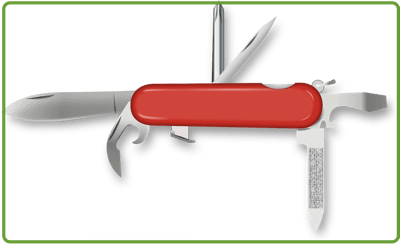
Why do I use NotePlan? ->
- Apple based,
- Markdown,
- Local storage,
- Projects,
- Intuitive interface,
- Extensible
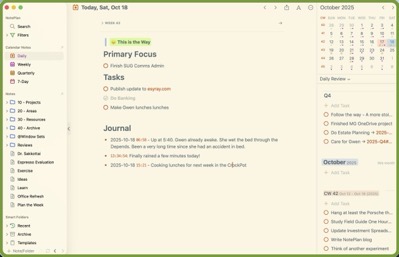
NotePlan Components
NotePlan’s major components are:
- Task Management – Features Yearly, Quarterly, Monthly, weekly and Daily tasks. NP supports projects as well. IT also has time blocking, task filters, and recurring tasks
- Notes – Based on text files using the Markdown format. It also has “wiki” note linking. You can use #tags for topics and @mentions to assign tasks or reference people, which are instantly searchable.
- Calendar Integration – Integrates with iCloud, Google, and Exchange calendars. The integrated calendar, tasks, and notes display makes planning your day, and projects easy.
- Knowledge Management – The text files based, markdown format, wiki linking, hast tagging, and mentions enable knowledge management
NotePlan Characteristics
- Plain Text files based on Markdown
- All data is yours. Unlike some applications NotePlan data is stored on my system – in my case iCloud but other options are available
- Wiki forward and back note linking
- Apple Based
- Cloudkit syncing
- Tags
- Mentions – references people and notes – for example: “Finalize plan with @jane-doe”
- Search
- Filters
- Plugins – many already available and you can roll your own
- Projects
- Properties – Files can have user definable properties
- Tasks, Checklists, Actions
- Note Publication – A very intriguing feature I discovered after using NotePlan for some time is the Publish Notes capability

Here’s a couple sources explaining why to use NotePlan better than I can
Why Use NotePlan
My Productivity Workflow
Other App Posts:


 Leave a Comment » |
  Environment, Nature, Plants | Tagged: Flower, holly, iris |
  Permalink
 Posted by molson46
  Number 6's Blog